I have been invited to attend the Seattle Vectorworks user group. I will be using a live internet hookup to join the group as a guest presenter.
We will be looking at layer plane, screen plane, working plane, Push/Pull tool, and if we get time, planar graphics. These new concepts can cause some confusion, but they will make your modeling and drawing creation quicker.
Meeting place and time:
Thursday, Feb. 24, 6:30 PM (PST)
7001 31st Ave NE.
Seattle
Call (206) 524-4317 if you get lost.
If you have the time to put together and bring a small snack,
that might be appreciated by those coming straight from work.
Also of note, Benson Shaw, an environmental artist with very strong Vectorworks skills,
is coming. He's been selected as the Public Artist in the project to rebuild the Central Seattle
Community College Wood Construction Center. He'll have plans from that project to show us and,
hopefully, tell us a bit about his own design experiences.
http://www.bensonshaw.com
Friday, February 25, 2011


Saturday, February 12, 2011
Progress on Vectorworks for Museum and Exhibit Designers
The Vectorworks course for Museum and Exhibit Designers is going really well. The attendees are getting heaps out of the course and having a lot of fun as well. We are 3 sessions into part two of the course. We have imported a DXF/DWG file from the Internet, rescaled it to make it accurate.
 Now we have converted it into 3D. Vectorworks has some really quick tricks for converting the plans into a model. I rendered this in Renderworks, and was really amazed with the rendering, the light looks subtle. We will be looking at rendering soon, but I wanted to see what we have created so far.
 The course has almost finished now. All the online teaching has been completed, but the students decided that they wanted time to finish off the projects and be graded on their work.
The students have really enjoyed this course and they have made fantastic progress. I'm very happy.


The students have really enjoyed this course and they have made fantastic progress. I'm very happy.
Creating a Swimming Pool


We will be linking this pool to a site model, and use some site modifiers to get it to sit correctly in the site model. If we added some trees and a building, it
So, if you are a subscriber, book now for the online sessions, it's nearly too late.
If you want to subscribe, you can join at this web site...
Wednesday, February 09, 2011
How to Search a Web Page
A friend of mine showed me this trick the other day, and it makes it so easy to look through a web page to find what you want. On my subscriber web site, there is a page with all the back issues. It can take a long time to look through all the topics to find what you are looking for. This trick makes it so easy to find the right topic.
Read more... (you need to be a subscriber to follow this link)
Read more about being a subscriber....
Read more... (you need to be a subscriber to follow this link)
Read more about being a subscriber....
Monday, February 07, 2011
Reset Your Windoor Settings
I have been having a small issue with Windoor (http://www.ozcad.com.au), the magic window and door plug-in from Australia. I had played with the class settings on the doors and windows, and the opening indicators were not being assigned to the class I wanted.
 The author of windoor, Julian Carr, told me to use the reset buttton. I have never used this before, but it worked brilliantly, and not all my windoor functionality is restored!
On the dialog box to edit the Pens and Classes, there is a Reset button. This is the button I was instructed to use.
So, if you are having trouble with your windoor classes, try the Reset button.

On the dialog box to edit the Pens and Classes, there is a Reset button. This is the button I was instructed to use.
So, if you are having trouble with your windoor classes, try the Reset button.
Friday, February 04, 2011
Webinar: Custom Renderworks in Vectorworks 2011

Wouldn't it be great to understand how to how to edit the Custom Renderworks options, how to change the quality of the lighting, and how to add environment lighting. In this special one hour webinar presentation you will learn about the options, and you will learn how to set the options to get the best from Renderworks.
Topics covered:
Introduction to Rendering
Introduction to Applying Textures
Why use Custom Renderworks, not Final Quality Renderworks?
How to test the Rendering
Setting Custom Renderworks Options
Creating a Renderworks Background
Setting a Directional Light
Setting a Spotlight
Creating Environmental Lighting
Editing the Environmental Lighting
Final Rendering
Cost $35US (about $45NZ, $35 AUS, €25).
With this webinar, there are no notes or manuals.
Online Vectorworks Course for Museum and Exhibit Designers
Part 2 of this course starts next week, so if you want to book onto this course, you're not too late, but you are running out of time. If you are in the museum or exhibit design area, this course will be really exciting for you.
We start off with a blank file and we import the clients PDF or DXF file for the outline of the project. This will give us the accurate information we need to work with. There can be several challenges with importing information, so we will make sure we cover those so that when you are working on a real project, you know what to look out for.
We will convert out imported drawings into 3D using a series of techniques. We will learn which techniques are useful, and when to use each one. This will give us a 3D model that we can walk around. So, we will also learn how to do that and how to turn our walk through into a movie to present to the client.
I can be important to make 3D objects, so we will make some 3D objects, and we will also be looking at techniques that allow you to quickly make complex shapes, using images. This will make it very fast to create all your catalog objects, and you can use this to put pictures on the walls. We will also add data to to these object so we can count and schedule all the objects in the exhibit.
After we have learned about textures, lighting, and rendering, we will look at setting up views of the exhibit. We also look at the walkthough again and create a new movie, walking through the exhibit with lighting and textures, so you can show prospective investors what you have in mind.
If you are working in Museum or exhibit design area, you might be wanting you use Vectorworks, but do not know how to get started. I have been talking to museums for some time, and I now have a course outline, exercises and a calender organized. This course has been tested at the main New zealand museum called Te Papa, using an online classroom training system, so I know this works.
The course is offer in two parts, so you can choose which one you need to attend. Choose part 1 if you are a beginner, and choose part 2 if you have some knowledge of Vectorworks. Each session approx. 60 mins duration online, with approx. 60 min homework each session. Each session has a limit of 4 people which will allow time for some individual training.
Course Outline
Part 2
Session 9 - Introduction to Worksheets
Worksheets are so important. They allow you to count and report items in your exhibits. This sessio is needed to get you started.
Session 10 - Importing DXF and PDF Plans
You often have to work with other consultants, or with existing information. In this session, we learn how it import and manage this information.
Session 11- Converting Imported Plans into BIM
After we have imported the plans, we can make the building in to a model. This will allow us to walk though the model, as well as using the model to create floor plans, elevations, and sections.
Session 12 - Creating 3D Views and Walk Throughs
Now that we have our model, we can set up 3D views of the exhibit, and make a walk-though movie of the exhibit.
Session 13 - Symbols and Image Props
In this session we will learn how to make a photo into an object for the exhibit. This could be a painting, sculpture, or jewelry. These techniques will speed up your exhibit production, and allow you to create a report of all the objects. If you use a rail system for your exhibits, we will use this an an example for creating symbols and image props.
Session 14 - Attaching Data to The Exhibit Pieces
Building on form session 14, we will attach information to our exhibit pieces, so we can count or report them.
Session 15 - Textures and Rendering
Making textures and rendering is really fun, and you can see what you exhibit will look like.
Session 16 - Questions and Answers
This session is to wrap up the training and answer any outstanding questions. You will need to complete a final project to pass this course.
Course starts in the new year. Each Session approx. 60 mins duration online, with approx. 60 min homework each session.
Cost $249.50US
Thursday, February 03, 2011
Always Compress Files When Emailing/Uploading
I have just been reading a technical board topic, where a Vectorworks file would not open. There was a lot of conversation and effort devoted to the problem, with no solution. The file had been sent to the Vectorworks support person in an uncompressed way, and the email had corrupted the file. When the file was re-sent in a compressed format, the file open easily, the first time.
Now, if the file had been sent compressed, many people would have been saved the effort of trying to figure out this problem, and the original support person could have got straight onto solving the real issue.
Always compress your files before you email or upload them to a web site, they transmit more cleanly, and faster too, saving you time.
Now, if the file had been sent compressed, many people would have been saved the effort of trying to figure out this problem, and the original support person could have got straight onto solving the real issue.
Always compress your files before you email or upload them to a web site, they transmit more cleanly, and faster too, saving you time.
Tuesday, February 01, 2011
New Plug-in Posted on the Subscriber Website
Today, while I was drawing a plan, and I got frustrated with editing the class attributes. I found I would have to click on the object, then look at the Object Info palette to see the class of the object. Then, open the Organization dialog box, find the class and then, finally, I could edit the class attributes.
If you know me at all, you will know that I hate this sort of repetitive task. So, I made a plug-in tool. To use this tool, you click on the object, Vectorworks then checks the class of the object, makes that class the active class and then it opens the Organization dialog box, ready for you to edit the class. This tool makes it really quick to edit the class attributes.
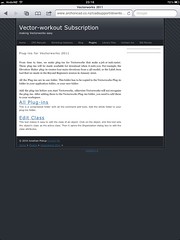
The tool is now uploaded to the subscribers web site. If you are a subscriber, you can find a the tool here... http://www.archoncad.co.nz/cadsupport/downloads-3/plugins2009.html
If you are not a subscriber, subscribe here... http://www.archoncad.co.nz/subscription.html
If you know me at all, you will know that I hate this sort of repetitive task. So, I made a plug-in tool. To use this tool, you click on the object, Vectorworks then checks the class of the object, makes that class the active class and then it opens the Organization dialog box, ready for you to edit the class. This tool makes it really quick to edit the class attributes.
The tool is now uploaded to the subscribers web site. If you are a subscriber, you can find a the tool here... http://www.archoncad.co.nz/cadsupport/downloads-3/plugins2009.html
If you are not a subscriber, subscribe here... http://www.archoncad.co.nz/subscription.html
Monday, January 31, 2011
Creating Line Drawings for a Section (Vectorworks 2010 and earlier)
When you want to develop your drawings in detail, you can use your 3D model to start the process by converting your model to a line drawing. Then you can add details and information to the model.
Read More... (you must be a subscriber to follow this link)
Read more about subscribing here...
Read More... (you must be a subscriber to follow this link)
Read more about subscribing here...
Sunday, January 30, 2011
Vectorworks Workshop Sessions for February 2011
Every month the Vector-workout Subscription has a series of online workshops. In February, the main topic is to draw a swimming pool, with steps and a border as a series of 3D objects and apply these to a site model.
The aims of the sessions are to gain an understanding of 3D modeling and how this can be used with a site model to create cut and fill.
There are Beyond Beginner sessions that will be looking in detail at screen plane, layer plane, and working planes. Working planes are becoming fundamental to working in 3D and these sessions will answer all your questions.
You have to be a subscriber to attend these online sessions. Book here...
archoncad Newsletter February 2011
We have posted our latest Vectorworks newsletter on online, and it includes an article about Training to Build Your Business.
You can find all our newsletters here, online, under archoncad newsletters...
You can find all our newsletters here, online, under archoncad newsletters...
Friday, January 28, 2011
Casting Shadows on Image Props (Plants)
By Default, image props do not show shadows, but you can edit the text to make them show shadows.
Tuesday, January 25, 2011
5 Short Vectorworks Manuals List on archoncad.com
We have been busy at work, making it easy to find our training manuals. Today, we added 5 manuals to the short manuals page:
- 010 Dealing With Complex Roofs
- 015 Site Modeling
- 017 Creating a Solar Study
- 025 Creating a Room Finish Schedule
- 040 Modeling and Creating Drawings for a Joinery Unit

Roofs can really slow users down if they do not understand how flexible the standard Vectorworks roof is, there is so much you can do with it. In this tutorial we will look at a couple of roofs, and see if we can make the standard Vectorworks roof do want we want. Then we will look at using the roof face command an how we can use this to make the roof we want. I will show you a technique for making it faster, and we will look at roof framing and creating a truss roof. This manual comes as a PDF and is 29 A4 pages.

A site model is a way of looking at 3D data (spot levels or contours) in a way that allows you to see complex 3D models and 2D representations. VectorWorks uses the 3D information to create the models based on the data to help you understand the 2D and 3D nature of your site.
We will edit our site model to make it suit the existing site better, then we will change the site using site modifiers, 3D loci and landscape walls.
When you are designing a building or landscape feature, you may be concerned about the affect of your structure on the surrounding buildings and landscape. Some of my clients have been asked to provide evidence that the building design does not adversely affect the neighboring properties.

What is a solar study? In basic terms, it is where we use to VectorWorks to show where the sun is coming from and where shadows fall. In architectural terms, we would use the solar study to check the shadows from our building and how they affect neighbors. We worked on one project several years ago, where the client was worried about shadows from surrounding buildings affecting their tennis tournament. We had to model the surrounding site and apartment buildings to make sure that during June, there were no shadows on the Number 1 Court at Wimbledon. Solar studies are common with large buildings, and we hear from several clients now that solar studies are expected from by some councils for domestic projects. This manual comes as a PDF and is 16 A4 pages.

You can use VectorWorks to create a room finishes schedule. You could use another program to do this, like Word or Excel, but then you would loose the link from the plan and room names to the room finishes. Vectorworks uses a space object to store all the finishes information. This manual will help you learn about space objects and how to use these to assign finishes to the object, how to edit the room finishes, and how to to create the schedule of finishes. This manual comes as a PDF and is 15 A4 pages long.

This is a case study on making a joinery unit. We will model the joinery unit quickly, to create a concept drawing. Then, we will create a detailed model that will give use all the parts to make the unit. We will use classes to control visibility, and we will use viewports and sheet layers to create the panel drawings.
Monday, January 24, 2011
Controlling Massing Model Graphics
You can control the graphic on a massing model, but you can not use the Attributes Palette. The graphics on a massing mode are controlled by the classes on the massing model.
Read more about subscribing here...
Monday, January 10, 2011
Vectorworks Course for Museum and Exhibit Designers - be quick
I have a course for exhibit and museum designers staring on Tuesday this week. So, there is nit much time if you want to get started. There is a blog that tells you all about the course.
Read More...
Read More...
Friday, January 07, 2011
Setting Attribute Defaults in Vectorworks

Thursday, January 06, 2011
Creating a Drawing from a Joinery Unit in Vectorworks
I'm well into my notes for this month's CPD Manual for my subscribers. We are looking at drawing a commercial joinery unit form scratch, and using the model to create drawings.
 The aim of the manuals is to show how fast it can be to create a 3D model for the display unit. After all, it is made out of sheet material, so it will be quick to draw and extrude. With Vectorworks 2011, there are really fast ways to model the unit, using working planes and the Push/Pull tool.
 After playing with the model, we can use viewports to create the drawings. If we edit the model, the viewports are easy to update.
We will be drawing this and discussing the best methods for creating the model online.
If you are a subscriber, book now...
If you want to be a subscriber, join here...


We will be drawing this and discussing the best methods for creating the model online.
If you are a subscriber, book now...
If you want to be a subscriber, join here...
Training First, or Work First?
I have been contributing to a discussion on upgrading to Vectorworks 2011. I suggested better training, and the responder said, work first, then training. Another responder suggested training first, then work, because when you get busy you do not have time for training.
A few years ago, before the recession, the number one reason from clients for not training was a lack of time. Yes, they would love to be more efficient, yes, they would like training, but they are just too busy at the moment. When thing quiet down, then they will have time for training.
Now that we have a slow-down and clients have more time, they do not have the money to invest in training. So, now I hear clients saying that they need to get work in first, then they can afford training. I can see it now, when they get enough work in, they will say that they do not have time for training.
My answer is to get the training now.
What about the cost? Well, you can read the blogs, no charge. You can watch youtube movies, no cost.
You can join my Vector-workout Subscription. The monthly change is very reasonable, about the same as a meal at a mid-range restaurant. There are 36 back issues to read, that should keep you happy for a while, and a new manual and online training each month.
Subscribe here...
A few years ago, before the recession, the number one reason from clients for not training was a lack of time. Yes, they would love to be more efficient, yes, they would like training, but they are just too busy at the moment. When thing quiet down, then they will have time for training.
Now that we have a slow-down and clients have more time, they do not have the money to invest in training. So, now I hear clients saying that they need to get work in first, then they can afford training. I can see it now, when they get enough work in, they will say that they do not have time for training.
My answer is to get the training now.
What about the cost? Well, you can read the blogs, no charge. You can watch youtube movies, no cost.
You can join my Vector-workout Subscription. The monthly change is very reasonable, about the same as a meal at a mid-range restaurant. There are 36 back issues to read, that should keep you happy for a while, and a new manual and online training each month.
Subscribe here...
archoncad newsletter January 2011
I have posted my newsletter for January 2011 to all the users that I have on my list. If you didn't get the newsletter, you can see read it here...
Subscribe to:
Comments (Atom)


